
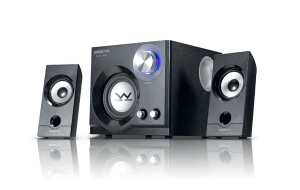
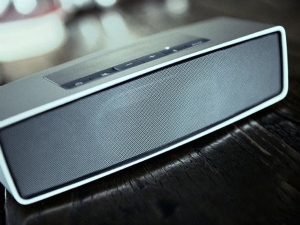
Speaker recently appeared suddenly noise, that is, current sound, do not open any music, the greater the volume, noise is also great, before has been good, suddenly so, is the speaker is broken, the speaker current sound how to do?
Very different situations will cause the speaker noise, such as speaker interference, poor connection or cable connection, the speaker itself is poor quality and so on. Here to introduce some methods.
1, the first computer audio access subwoofer on the left and right channels (red, white lotus plug) for each plug in, listen to the original speaker there is no noise.
A, if there is no noise and another speaker noise, it shows that this audio line in question. Workaround: Replace the computer's audio cable for the subwoofer.
B, if there is still noise, it shows that the problem is not the audio cable. Please continue to look down.
How to eliminate the current sound of the sound
2, the subwoofer to connect two small speakers to replace the cable line, listen to the original speaker that there is no noise.
A, if there is no noise and another speaker noise, it shows your subwoofer internal circuit or line problems, it is recommended to find someone to open the subwoofer, check the internal circuit, the circuit has no Weld, capacitor or a part is Damaged.
B, if there are still noises, it shows the speaker cable is a problem, or this small speaker itself is a problem.
How to eliminate the current sound of the sound
3, you can use headphones to listen to there is no noise. If there is a noise that computer sound card hardware or software problems, you can exclude the speaker problem.
If you use headphones to listen to no noise, it can determine the computer external sound reinforcement equipment problems, that is, starting from the audio cable, to a small speaker somewhere between the two problems. Do not worry, use the exclusion method will be able to find the problem.
4, you can change some good audio line to clean sound, there are some bad audio line will bring noise.
5, more common, speaker wire, crossover, wireless devices or host computer will become a source of interference. The main speakers in the allowed conditions as far as possible away from the computer host, and reduce the surrounding wireless devices.
 skype
skype 测试标题
测试标题